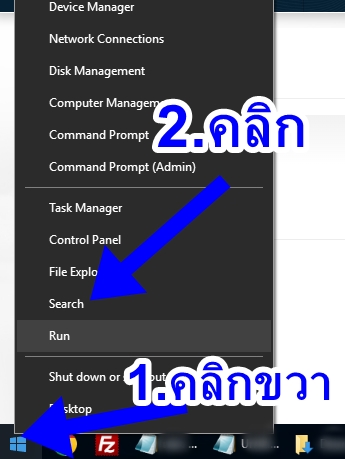
1. คลิกขวา windows icon แล้วเลือกเมนู Search ตามตัวอย่าง
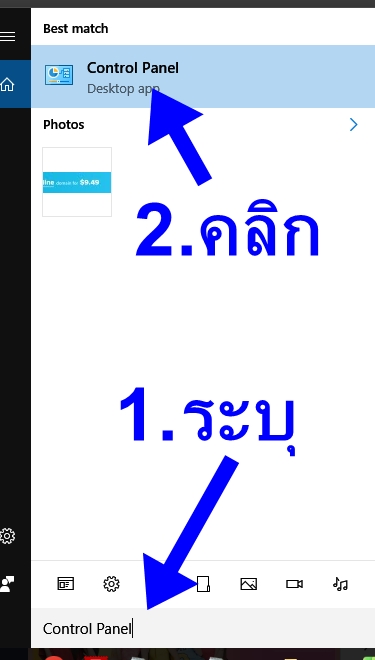
2.ค้นหาคำว่า Control Panel แล้วคลิกดังรูป
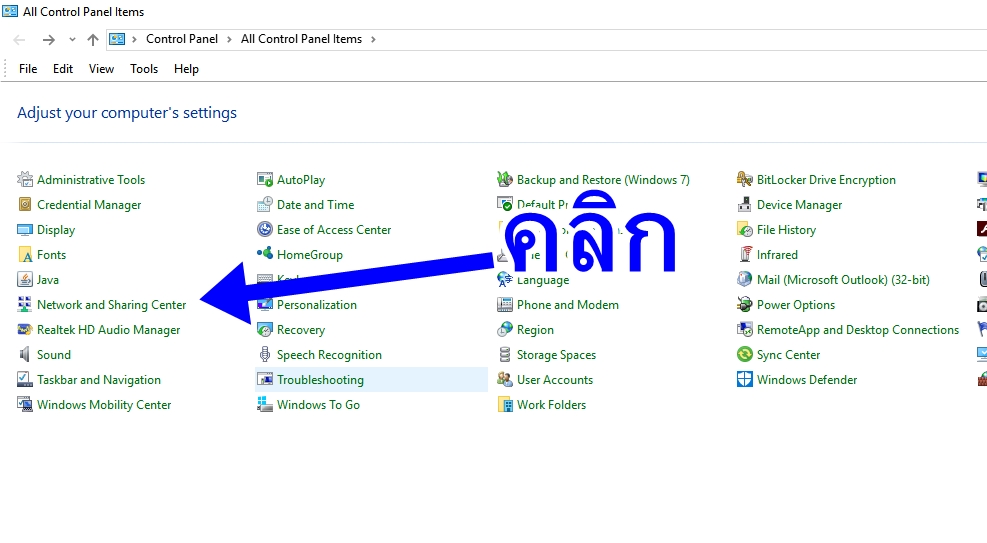
3.คลิกเมนู Network and Sharing Center
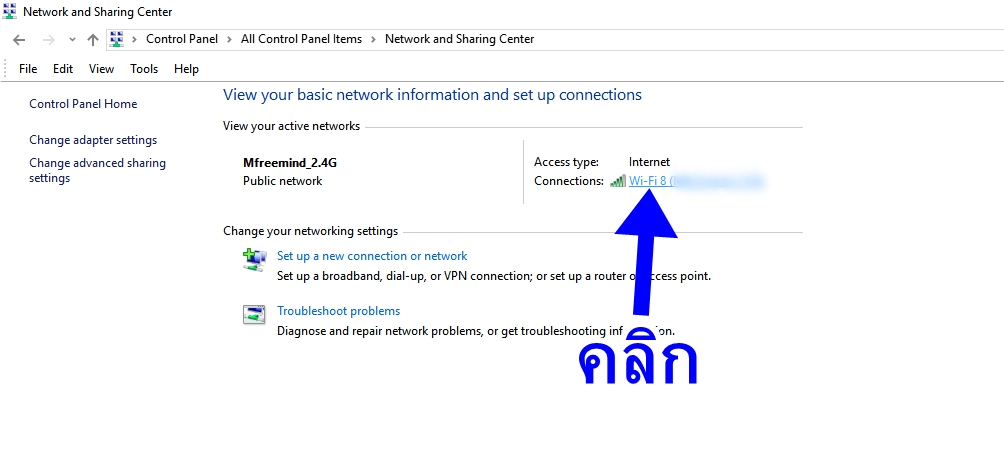
4.คลิก ขื่ออินเตอร์เน็ตที่ใช้งานหลังคำว่า Connections ดังรูปตัวอย่าง
5.คลิกเมนู Properties

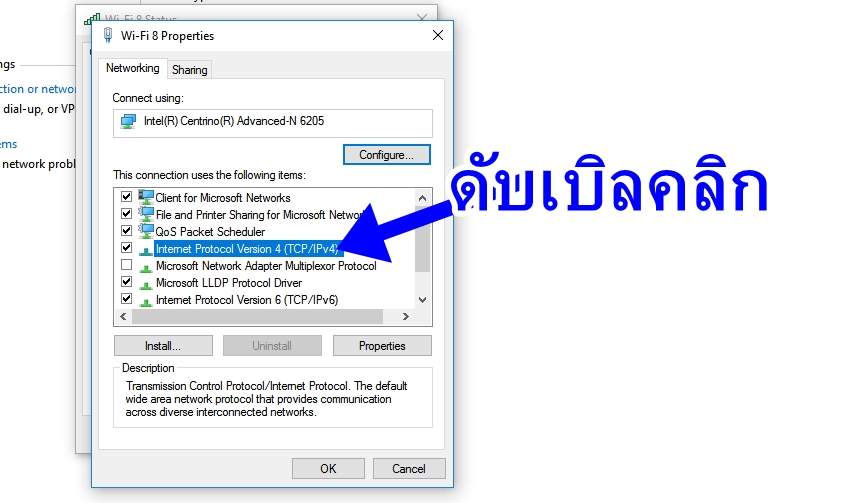
6. ดับเบิลคลิก Internet Protocol Version 4 (TCP/IPv4) ดังรูป
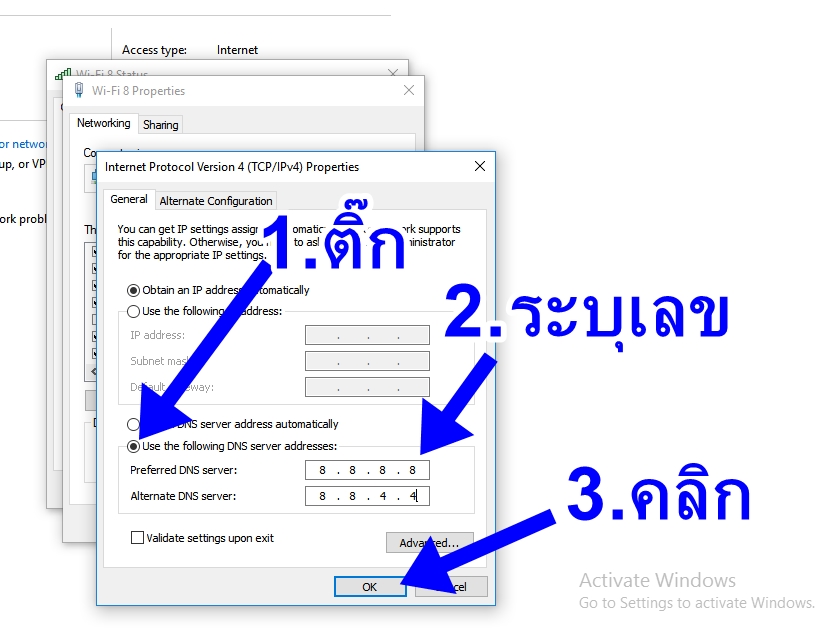
7. ติ๊กเลือก Use the following DNS server addresses: จากนั้นกำหนดค่าใน Preferred DNS server: เป็น 8.8.8.8 และกำหนดค่า Alternate DNS server: เป็น 8.8.4.4 แล้วคลิก OK
 Copyright © 2026 All Rights Reserved